
Keep your care system. Lose the billing headache.
Nanum Lite takes your clients, visits, rates and payers from the care system you already use, and turns them into correct invoices for every payer. Billing only: nothing to replace.
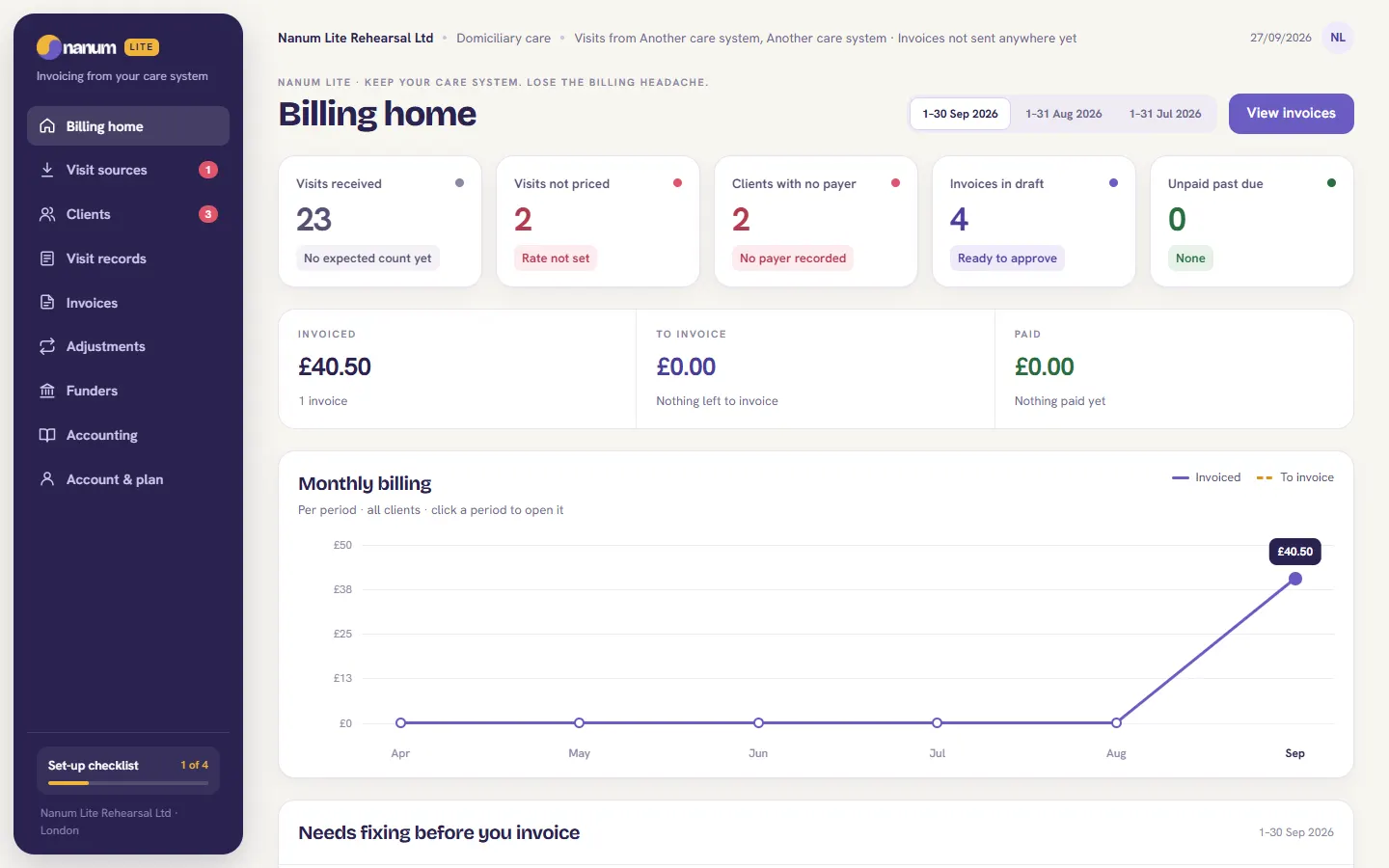
Three steps. No re-typing.
Connect or import
Connect your care system by API, or import your delivered visits. Clients, rates, visit types and who pays are set up from your care system's data, with one preview to confirm.
Complex billing, done
Private, council and NHS rules, capped amounts and client contributions are worked out for you. A period's invoices are raised in one press.
Send to your accounts
Invoices and credit notes go to your accounting package, e.g. via Xero-format export, with your account codes per funder.
Works alongside the care system you already use. Nothing to replace.
Billing that gets it right.
From your care system
- Connect by API, or import delivered visits
- Clients, rates, visit types and payers set up from your data
- One preview, one confirm: nothing guessed
- Re-imports never double-count a visit
Complex billing, handled
- Private, council and NHS, each by its own rules
- Capped amounts and client contributions
- Hourly, per-visit, full-day and live-in rates
- Care homes billed per resident, per period
Invoices and corrections
- A period's invoices raised in one press
- Changes after invoicing become a credit note or an extra invoice, per payer
- Anything that can't be priced is shown, not guessed
Your accounts
- Invoices and credit notes in Xero's import format
- Your account codes, per funder
- Every change recorded, with who and when
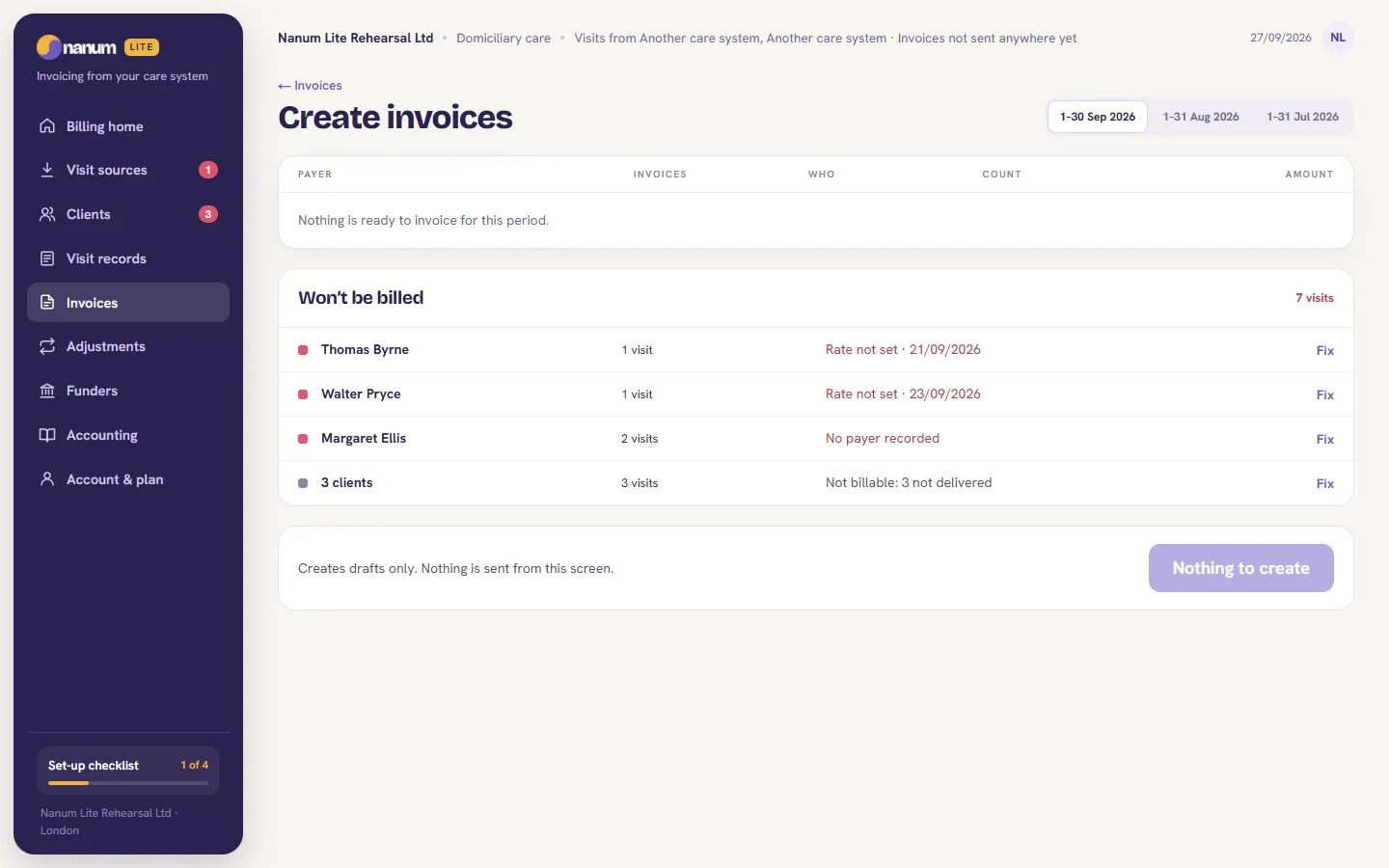
If it can’t be billed, you see why.
A rate that isn’t set, a client with no payer recorded, a visit that wasn’t delivered: Nanum Lite lists each one with the reason and a way to fix it, before anything is invoiced. It never fills a gap with a guess.
Creating invoices makes drafts. Nothing is sent from that screen.
Providers who like their care system, and not their billing.
Domiciliary care providers
Your rota and visits stay in your care system. Nanum Lite bills each delivered visit to the right payer, at the right rate, whether it’s hourly, per visit, a full day or live-in.
Care homes
Residents are billed per resident, per period, from the records you already keep, so the invoice run no longer means a spreadsheet.
Nanum runs domiciliary care and care homes end to end: rota, app, medication and billing.
Nanum Lite, answered.
What is Nanum Lite?
Nanum Lite is the billing-only version of Nanum. Your care system stays where your rota, care records and visits are kept; Nanum Lite reads the delivered visits from it and turns them into correct invoices and credit notes for every payer.
Do I have to replace my care system?
No. That is the point of Nanum Lite. Your care system stays the source of your visits and nothing about how your carers or staff work changes. Nanum Lite only does the billing.
How do my visits get into Nanum Lite?
Connect your care system by API, or import your delivered visits. Clients, rates, visit types and who pays are set up from your care system's data and shown to you in one preview to confirm. Anything that is unclear is flagged for you to decide, never guessed.
Which payers and rates can it bill?
Private clients, councils and the NHS, each by its own rules, including capped amounts and client contributions. Rates can be hourly, per visit, full day or live-in. Care homes are billed per resident, per period.
What happens if a visit changes after I have invoiced it?
Nanum Lite does not rewrite an invoice that has already gone out. The change becomes a credit note or an extra invoice for the payer it affects, so your books and the payer's records stay in step.
Does it work with Xero?
Invoices and credit notes export in Xero's import format, with your account codes per funder, so you can send them to your accounting package.
How do I get started?
Request access at app.nanum.co.uk/start and we will be in touch to set you up. If you already have a Nanum Lite account, sign in at app.nanum.co.uk/lite.

Keep your care system. Lose the billing headache.
Nanum Lite, billing only. Request access and we'll set you up.